Shopping for a laptop with a budget of $1,001 to $1,500? This price range offers a strong selection of premium ultraportables, powerful gaming machines, versatile 2-in-1 devices, and productivity-focused laptops. Whether you are a student, professional, content creator, or gamer, choosing the right configuration can make a significant difference in everyday performance.
In this guide, we compare five laptops worth considering: the Apple MacBook Air 13-inch M5, ASUS ROG Strix G16, Apple MacBook Air 15-inch M5, Alienware 16 Aurora, and Microsoft Surface Pro 2026. We cover their specifications, strengths, limitations, and ideal use cases to help you make an informed buying decision.
Note: Prices, availability, and configurations can change. Check the current Amazon listing before purchasing.
Affiliate Disclosure: As an Amazon Associate, we earn from qualifying purchases.
Quick Comparison: Top 5 Laptops Under $1,500
| Laptop | Processor | Memory / Storage | Best For |
|---|---|---|---|
| Apple MacBook Air 13-inch M5 | Apple M5 | 16GB / 512GB | Portability and everyday productivity |
| ASUS ROG Strix G16 | Intel Core i7-14650HX | 16GB / 1TB | Gaming and graphics workloads |
| Apple MacBook Air 15-inch M5 | Apple M5 | 16GB / 512GB | Large-screen productivity |
| Alienware 16 Aurora | Intel Core 7 240H | 16GB / 1TB | Gaming with a sharper display |
| Microsoft Surface Pro 2026 | Snapdragon X2 Plus | 16GB / 512GB | Tablet flexibility and note-taking |
1. Apple 2026 MacBook Air 13-inch M5 – Best for Portability
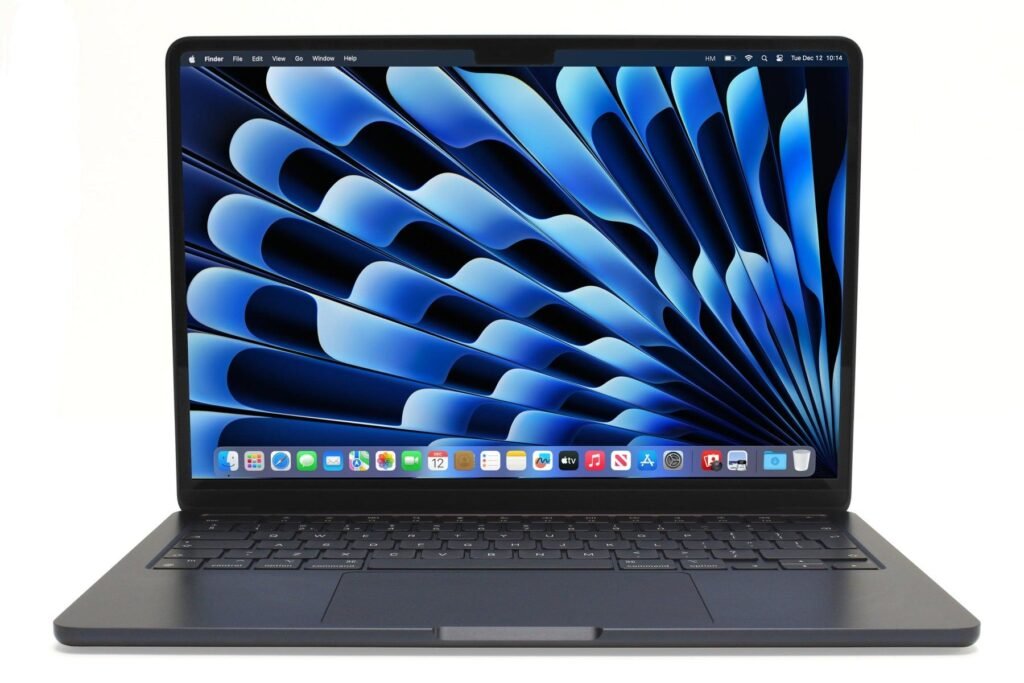
The Apple MacBook Air 13-inch with the M5 chip is an appealing option for buyers who prioritize portability, battery life, and a polished everyday computing experience. Its compact aluminum design makes it suitable for students, frequent travelers, remote workers, and professionals who want a lightweight laptop without sacrificing responsiveness.
Powered by Apple’s M5 processor and equipped with 16GB of unified memory, this configuration is designed for smooth multitasking across web browsing, office applications, video meetings, and supported creative software. The 512GB SSD provides a practical starting point for documents, applications, photos, and other everyday files.
The 13.6-inch Liquid Retina display offers sharp text, rich colors, and a comfortable viewing experience. A 12MP Center Stage camera helps keep users framed during video calls, while Touch ID provides convenient authentication. Wi-Fi 7, Bluetooth 6, MagSafe charging, and two Thunderbolt 4 ports round out its connectivity features.
Apple advertises up to 18 hours of battery life under specified testing conditions. Actual endurance depends on brightness, applications, network activity, and workload. The main considerations are its relatively limited built-in ports and the fact that some specialized Windows software and games are unavailable on macOS.
Key Specifications
- Model: Apple MacBook Air 13-inch (2026)
- Model Number: MDHE4LL/A
- Processor: Apple M5 chip
- Display: 13.6-inch Liquid Retina
- Memory: 16GB unified memory
- Storage: 512GB SSD
- Camera: 12MP Center Stage with Desk View
- Wireless: Wi-Fi 7 and Bluetooth 6
- Ports: Two Thunderbolt 4, MagSafe 3, headphone jack
- Security: Touch ID
- Operating System: macOS
- Color: Midnight
- Weight: Approximately 2.71 pounds
- Battery: Up to 18 hours, manufacturer claim
Pros
- Lightweight and highly portable design
- Efficient Apple M5 processor for everyday and creative workloads
- Sharp 13.6-inch Liquid Retina display
- 16GB unified memory and 512GB SSD
- 12MP Center Stage camera and Touch ID
- Strong manufacturer-rated battery endurance
- Wi-Fi 7 and Thunderbolt 4 connectivity
Cons
- Only two Thunderbolt 4 ports
- Memory and internal storage are not designed for user upgrades
- Not ideal for buyers who require Windows-only applications
- Smaller display than 15-inch and 16-inch alternatives
- Not intended for demanding Windows gaming
Best For: Students, business users, travelers, remote workers, and anyone who wants a premium lightweight macOS laptop.
2. ASUS ROG Strix G16 (2025) – Best for High-Performance Gaming
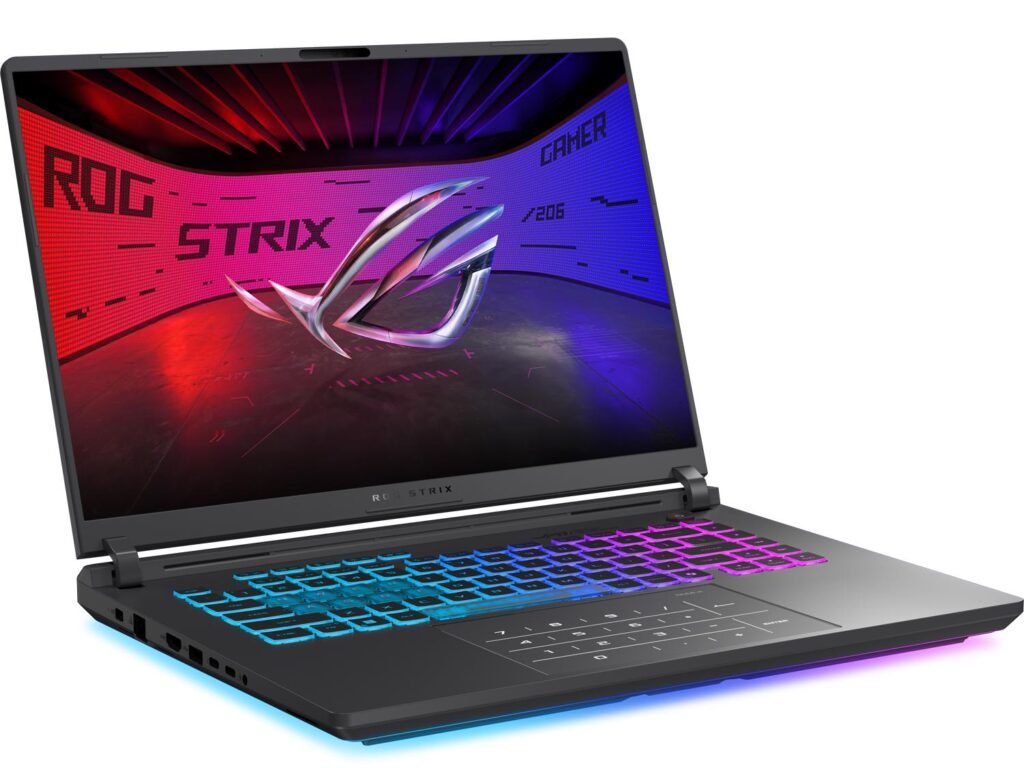
The ASUS ROG Strix G16 is built for gamers who need substantially more graphics performance than a conventional productivity laptop can provide. This configuration combines an Intel Core i7-14650HX processor with an NVIDIA GeForce RTX 5060 Laptop GPU, making it a strong candidate for modern gaming, streaming, and GPU-accelerated creative applications.
Its 16-inch FHD+ display uses a 16:10 aspect ratio and offers a 165Hz refresh rate with a listed 3ms response time. The higher refresh rate is particularly useful for fast-paced games, where smoother motion and reduced perceived blur can improve the experience. The display also gives users additional vertical space for browsing, editing, and productivity tasks.
With 16GB DDR5-5600 memory and a 1TB PCIe Gen 4 SSD, the ROG Strix G16 provides a capable foundation for multitasking and a substantial game library. ASUS also emphasizes its advanced cooling system, featuring a vapor chamber, tri-fan design, and liquid-metal thermal technology to help manage heat during sustained workloads.
Customizable RGB lighting gives the laptop a distinct gaming appearance, while Stealth Mode allows users to disable the lighting when a more understated presentation is preferred. The trade-offs are its heavier chassis, higher power demands, and shorter battery endurance under demanding gaming conditions.
Key Specifications
- Model: ASUS ROG Strix G16 (2025)
- Model Number: G615JMR-AS74
- Processor: Intel Core i7-14650HX, 14th Generation
- Graphics: NVIDIA GeForce RTX 5060 Laptop GPU, 8GB listed graphics memory
- Display: 16-inch FHD+ 1920 × 1200
- Refresh Rate: 165Hz
- Response Time: 3ms, listed specification
- Memory: 16GB DDR5-5600
- Storage: 1TB PCIe Gen 4 SSD
- Wireless: Wi-Fi 7
- Cooling: Vapor chamber, tri-fan system, liquid-metal thermal solution
- Lighting: Customizable RGB light bar
- Operating System: Windows 11 Home
- Color: Eclipse Gray
- Weight: Approximately 5.83 pounds
Pros
- Dedicated RTX 5060 graphics for demanding games
- Powerful Intel Core i7-14650HX processor
- Fast 165Hz display with 16:10 aspect ratio
- 16GB DDR5 memory and 1TB PCIe SSD
- Advanced cooling features for sustained performance
- Wi-Fi 7 connectivity
- Customizable RGB lighting and gaming-focused design
Cons
- Heavier and less convenient for frequent travel
- Gaming can drain the battery quickly
- Fans may become noticeable during intensive workloads
- Full performance generally requires external power
- 16GB RAM may be limiting for some demanding creative workflows
Best For: PC gamers, esports enthusiasts, streamers, and creators who need dedicated NVIDIA graphics.
3. Apple 2026 MacBook Air 15-inch M5 – Best for Large-Screen Productivity
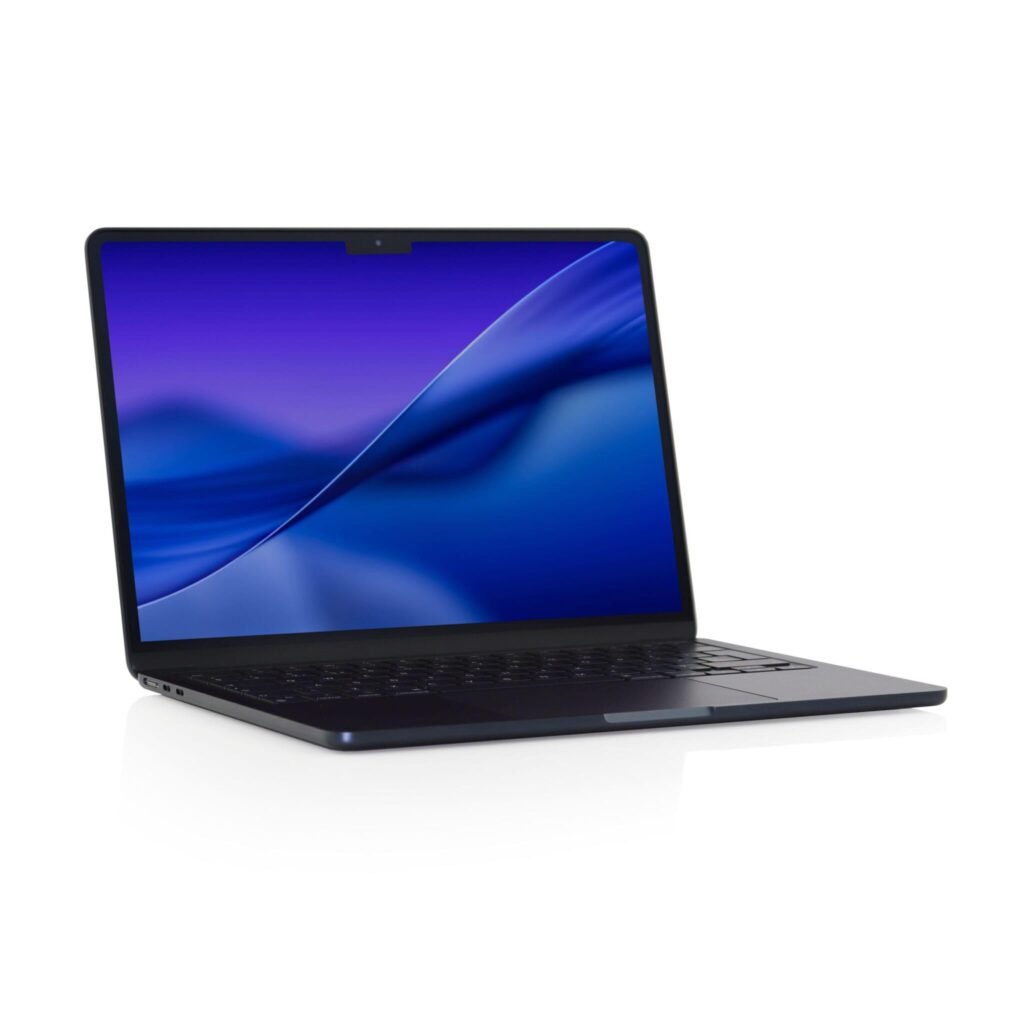
The Apple MacBook Air 15-inch M5 offers many of the advantages of the smaller MacBook Air while adding a significantly more spacious display. It is particularly attractive for professionals, students, and creators who want extra screen room for spreadsheets, research, multitasking, photo editing, and everyday productivity.
The 15.3-inch Liquid Retina display has a 2880 × 1864 resolution, 500-nit rated brightness, P3 wide-color support, and True Tone technology. Its larger screen makes it easier to work with multiple windows, detailed documents, and creative applications without relying on an external monitor.
Apple’s M5 chip features a 10-core CPU and 10-core GPU in the supplied configuration, alongside a 16-core Neural Engine. Combined with 16GB unified memory and 512GB SSD storage, it provides a capable platform for everyday tasks, multitasking, and compatible creative workflows.
The 15-inch model also includes a six-speaker audio system with force-cancelling woofers, a 12MP Center Stage camera, and three microphones. Apple rates battery life at up to 18 hours of video streaming and up to 15 hours of wireless web use, although real-world results vary.
Despite the larger screen, the MacBook Air remains relatively slim and portable. Buyers should nevertheless consider its higher weight compared with the 13-inch model, limited port selection, and lack of user-upgradable unified memory.
Key Specifications
- Model: Apple MacBook Air 15-inch (2026)
- Model Number: MDVH4LL/A
- Processor: Apple M5, 10-core CPU
- Graphics: Integrated 10-core GPU
- Neural Engine: 16-core
- Display: 15.3-inch Liquid Retina
- Resolution: 2880 × 1864
- Brightness: 500 nits, rated
- Memory: 16GB unified memory
- Storage: 512GB SSD
- Camera: 12MP Center Stage
- Audio: Six-speaker sound system
- Wireless: Wi-Fi 7 and Bluetooth 6
- Ports: Two Thunderbolt 4, MagSafe 3, headphone jack
- Battery: Up to 18 hours video streaming, manufacturer claim
- Operating System: macOS
- Color: Midnight
- Weight: Approximately 3.32 pounds
Pros
- Spacious 15.3-inch high-resolution Liquid Retina display
- Efficient Apple M5 chip with integrated graphics
- 16GB unified memory and fast SSD storage
- Six-speaker sound system
- 12MP Center Stage camera
- Long manufacturer-rated battery life
- Premium, slim aluminum construction
Cons
- Less compact than the 13-inch MacBook Air
- Only two Thunderbolt 4 ports
- Memory and internal storage are not user-upgradable
- Some Windows applications and games are incompatible with macOS
- No dedicated NVIDIA or AMD gaming GPU
Best For: Professionals, students, writers, designers, and buyers who prefer a larger display without moving to a bulky gaming laptop.
4. Alienware 16 Aurora – Best for Immersive Gaming
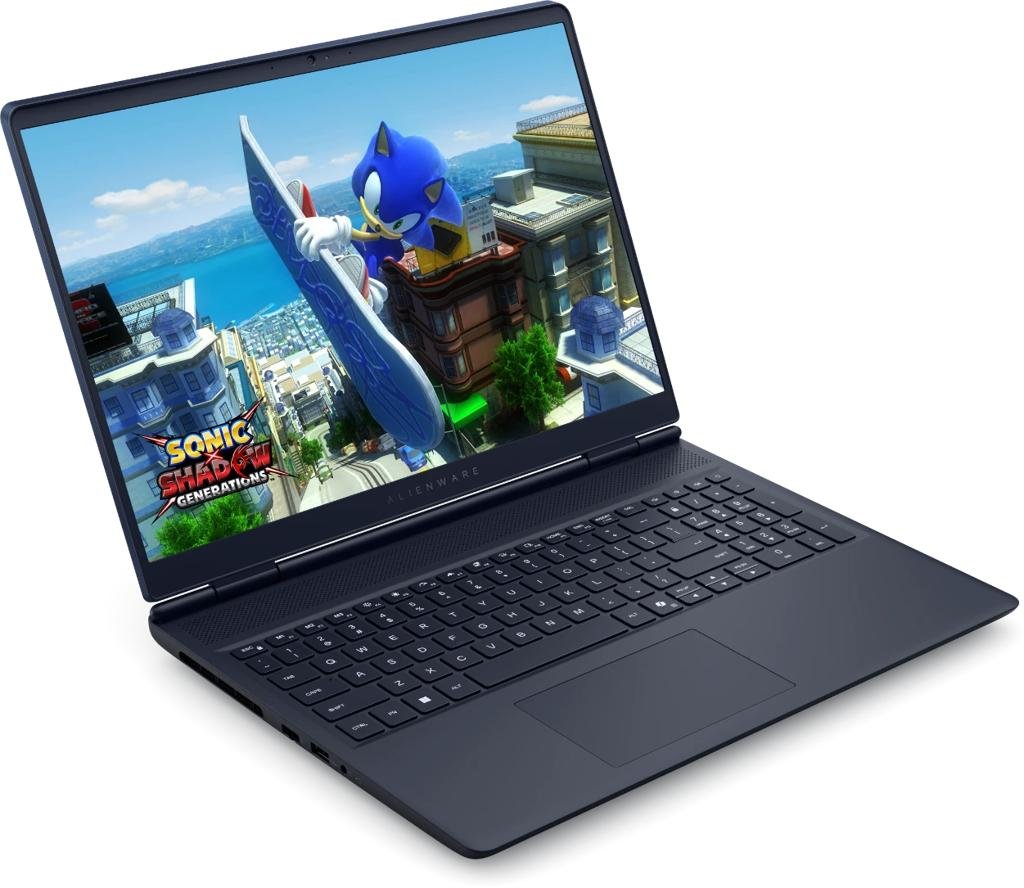
The Alienware 16 Aurora is a gaming-focused laptop designed for buyers who want dedicated NVIDIA graphics, a detailed display, and a distinctive gaming-oriented chassis. This configuration combines an Intel Core 7 240H processor with an NVIDIA GeForce RTX 5050 Laptop GPU, making it suitable for a wide range of PC games and graphics-intensive applications.
One of its main attractions is the 16-inch WQXGA display with a 2560 × 1600 resolution and 120Hz refresh rate. Compared with standard Full HD laptop screens, this higher resolution provides more detail for games, videos, editing interfaces, and everyday productivity. The 16:10 aspect ratio also offers useful additional vertical workspace.
The laptop includes 16GB DDR5-5600 memory and a 1TB SSD. Its dedicated RTX 5050 graphics provide hardware acceleration for compatible games and creative software. As with other gaming laptops, actual frame rates depend on graphics settings, resolution, cooling, and GPU power configuration.
Alienware’s Cryo-Chamber cooling design directs airflow toward important internal components, while the streamlined chassis eliminates the large rear thermal shelf found on some gaming laptops. The listed configuration also includes Wi-Fi 7, a backlit keyboard, and a numeric keypad.
The Alienware 16 Aurora is a compelling option for buyers who want a higher-resolution gaming display. However, it is heavier than conventional ultraportables, and users should expect shorter battery life during intensive gaming sessions.
Key Specifications
- Model: Alienware 16 Aurora AC16250
- Model Number: LAC16250-7193BLU-PUS
- Processor: Intel Core 7 240H
- Graphics: NVIDIA GeForce RTX 5050 Laptop GPU
- Graphics Memory: 8GB GDDR7, as listed
- Display: 16-inch WQXGA
- Resolution: 2560 × 1600
- Refresh Rate: 120Hz
- Brightness: 300 nits, rated
- Memory: 16GB DDR5-5600
- Storage: 1TB SSD
- Wireless: Wi-Fi 7
- Cooling: Alienware Cryo-Chamber design
- Keyboard: Backlit with numeric keypad
- Operating System: Windows 11 Home
- Color: Blue
- Weight: Approximately 5.49 pounds
- Warranty: Listed one-year basic onsite service, subject to terms
Pros
- Sharp 2560 × 1600 WQXGA display
- Smooth 120Hz refresh rate
- Dedicated RTX 5050 graphics
- Intel Core 7 processor for gaming and productivity
- 16GB DDR5 memory and 1TB SSD
- Gaming-focused cooling design
- Wi-Fi 7 and useful connectivity options
Cons
- Heavier than thin-and-light laptops
- Battery endurance may be limited during gaming
- Higher display resolution can increase GPU demands
- Cooling fans may be audible under heavy load
- Less portable than the MacBook Air or Surface Pro
Best For: Gamers who value a detailed 16-inch display, dedicated NVIDIA graphics, and a gaming-oriented design.
5. Microsoft Surface Pro (2026) – Best Premium 2-in-1
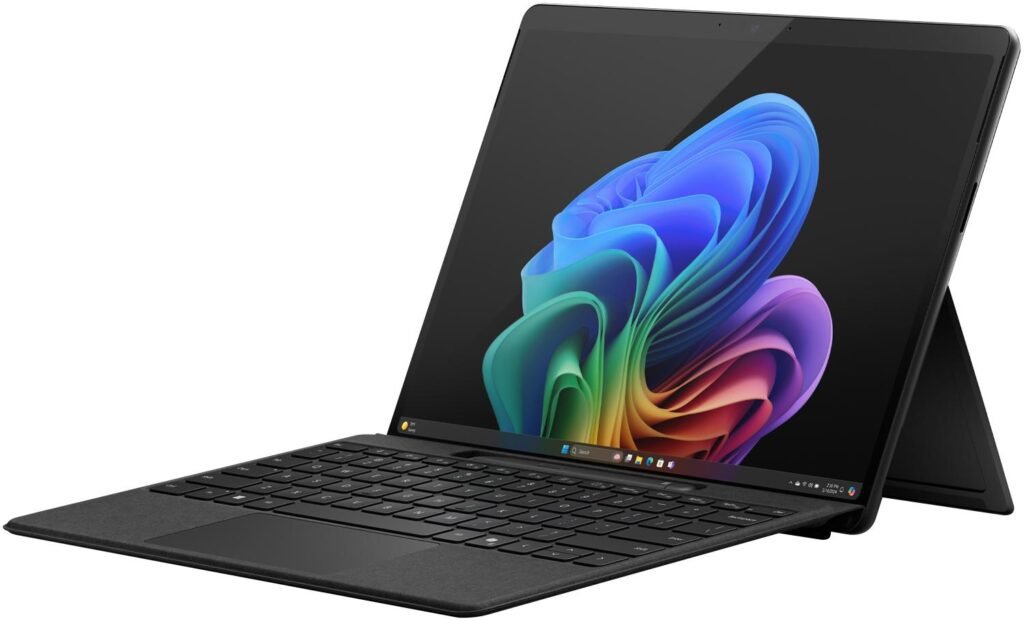
The Microsoft Surface Pro 2026 offers a different approach to premium computing. Instead of a traditional clamshell laptop, it combines a Windows tablet with a built-in kickstand and support for an optional detachable keyboard. This flexibility makes it particularly attractive for students, professionals, and creative users who want one device for typing, note-taking, presentations, and touchscreen interaction.
The supplied configuration features a Qualcomm Snapdragon X2 Plus processor, 16GB RAM, and a 512GB removable SSD. It belongs to Microsoft’s Copilot+ PC category and includes a dedicated neural processing unit for supported on-device AI features.
Its 13-inch PixelSense touchscreen has a listed 2880 × 1920 resolution and 120Hz refresh rate. Touch and stylus support make it convenient for handwriting, annotation, sketching, and document review. The integrated kickstand allows the screen to be positioned for video calls, media viewing, and desk-based work.
Microsoft lists up to 15.5 hours of video playback, although actual battery life depends on usage conditions. The tablet also includes Wi-Fi 7 and two USB-C/USB4 ports. Its compact design makes it easier to carry than most conventional 15-inch and 16-inch laptops.
There are two important considerations. First, the Surface Pro Keyboard and Surface Slim Pen are sold separately, potentially increasing the total purchase cost. Second, its ARM-based Snapdragon processor may require compatibility checks for certain specialized Windows applications, drivers, and games.
Key Specifications
- Model: Microsoft Surface Pro (2026)
- Model Number: EP2-73275
- Processor: Qualcomm Snapdragon X2 Plus
- Graphics: Integrated Qualcomm Adreno
- AI: Copilot+ PC with dedicated NPU
- Display: 13-inch PixelSense touchscreen, LCD listed
- Resolution: 2880 × 1920
- Refresh Rate: 120Hz
- Memory: 16GB RAM
- Storage: 512GB removable Gen 4 SSD
- Wireless: Wi-Fi 7
- Ports: Two USB-C / USB4
- Rear Camera: 10MP autofocus
- Security: Windows Hello face authentication
- Kickstand: Adjustable up to 165 degrees
- Operating System: Windows 11 Home
- Color: Black
- Tablet Weight: Approximately 1.97 pounds, as advertised
- Battery: Up to 15.5 hours video playback, manufacturer claim
- Accessories: Keyboard and Surface Slim Pen sold separately
Pros
- Versatile tablet and laptop-style functionality
- High-resolution 13-inch touchscreen
- Smooth 120Hz refresh rate
- Lightweight tablet design
- 16GB RAM and 512GB SSD
- Dedicated NPU for supported AI features
- Wi-Fi 7 and USB4 connectivity
- Optional pen support for handwriting and drawing
Cons
- Keyboard and stylus cost extra
- ARM software compatibility should be checked before purchase
- Only two USB-C ports
- Not designed for demanding dedicated-GPU gaming
- Kickstand design may be less convenient on the lap
- Total cost can increase with accessories
Best For: Students, note-takers, mobile professionals, digital artists, and buyers who want a premium Windows tablet with optional laptop functionality.
Which Laptop Should You Choose?
Best for portability: Apple MacBook Air 13-inch M5. Choose this model if you want a compact laptop for classes, business travel, remote work, and everyday productivity.
Best for gaming performance: ASUS ROG Strix G16. Its Intel Core i7-14650HX processor, RTX 5060 Laptop GPU, and 165Hz display make it the strongest gaming-oriented choice in this comparison based on the listed hardware.
Best for a large productivity display: Apple MacBook Air 15-inch M5. The larger Liquid Retina screen is attractive for spreadsheets, research, editing, and multitasking while retaining a relatively slim design.
Best for high-resolution gaming visuals: Alienware 16 Aurora. Its 2560 × 1600 display and RTX 5050 Laptop GPU offer a compelling combination for buyers who prioritize screen detail and gaming features.
Best for tablet flexibility: Microsoft Surface Pro 2026. Its touchscreen, kickstand, and optional keyboard and pen support make it especially useful for note-taking, presentations, and mobile productivity.
What to Look for in a Laptop Under $1,500
1. Processor and Performance
Choose a processor that matches your workload. Apple M5 laptops focus on efficient macOS performance, Intel HX-series processors are suited to demanding Windows workloads, and Snapdragon-based devices emphasize portability and supported AI features. Software compatibility is just as important as raw processor specifications.
2. Graphics Capabilities
If gaming, 3D rendering, or GPU-intensive creative work is your priority, a laptop with dedicated NVIDIA graphics is generally the better starting point. Integrated graphics are often sufficient for browsing, productivity, streaming, and lighter creative tasks.
3. Memory and Storage
All five configurations in this comparison include 16GB of memory, which is a practical amount for many modern workflows. A 512GB SSD is suitable for general use, while 1TB can be more convenient for large game installations, media projects, and extensive file libraries.
4. Display Quality
Look beyond screen size. Resolution, brightness, color quality, refresh rate, and touchscreen functionality can all influence the experience. High-refresh-rate screens are attractive for gaming, while high-resolution displays offer more detail for productivity and creative work.
5. Portability and Battery Life
Thin-and-light laptops are easier to carry, while gaming models usually prioritize performance and cooling. Manufacturer battery estimates are useful for initial comparison but do not guarantee identical results in everyday use.
6. Operating System and Compatibility
Consider whether you need macOS, conventional Windows applications, or ARM-compatible Windows software. Before buying, check that your essential applications, peripherals, and games support the selected platform.
Frequently Asked Questions
Is $1,500 enough for a good gaming laptop?
Yes. This budget can include laptops with dedicated NVIDIA RTX graphics, capable processors, fast SSD storage, and high-refresh-rate displays. Compare the exact GPU configuration and cooling design before purchasing.
Which is better for students: MacBook Air or Surface Pro?
The MacBook Air is an excellent choice for students who primarily type documents, browse, research, and attend online classes. The Surface Pro is particularly appealing for handwritten notes, touchscreen interaction, and tablet-style flexibility. Software requirements and accessory costs should guide the decision.
Should I choose the 13-inch or 15-inch MacBook Air?
Choose the 13-inch model if portability matters most. Choose the 15-inch model if you prefer a larger display for multitasking, spreadsheets, research, and creative work.
Is 16GB RAM enough for a premium laptop?
For many users, 16GB is sufficient for office work, browsing, programming, and moderate creative tasks. Heavy virtual machines, advanced video editing, and particularly demanding professional workflows may benefit from additional memory.
Are these laptops always priced between $1,001 and $1,500?
No. Amazon prices can change with promotions, sellers, and configurations. This guide focuses on models being considered for the $1,001–$1,500 shopping range. Always verify the live price and selected configuration before ordering.
Final Verdict
The best laptop under $1,500 depends on what you need it to do. The MacBook Air 13-inch M5 stands out for portability, while the MacBook Air 15-inch M5 is appealing for large-screen productivity. The ASUS ROG Strix G16 is a strong gaming-focused option, and the Alienware 16 Aurora offers a sharper gaming display. For users who value touchscreen interaction and tablet versatility, the Microsoft Surface Pro 2026 provides a distinctive alternative.
Before making a purchase, compare the latest price, exact specifications, warranty coverage, accessory requirements, and seller details on Amazon.